
Power, Installation & Transport Accessories
Starlink Power, Cable, Mount & Case Accessories
DAIER supplies power cables and adapters, Ethernet connections, mounting hardware and protective cases for Starlink equipment. The range covers Mini, Standard Gen 2, Standard Gen 3 and specific Performance versions. Compare the device fit, connection or mounting format, and installation conditions before selecting an accessory.
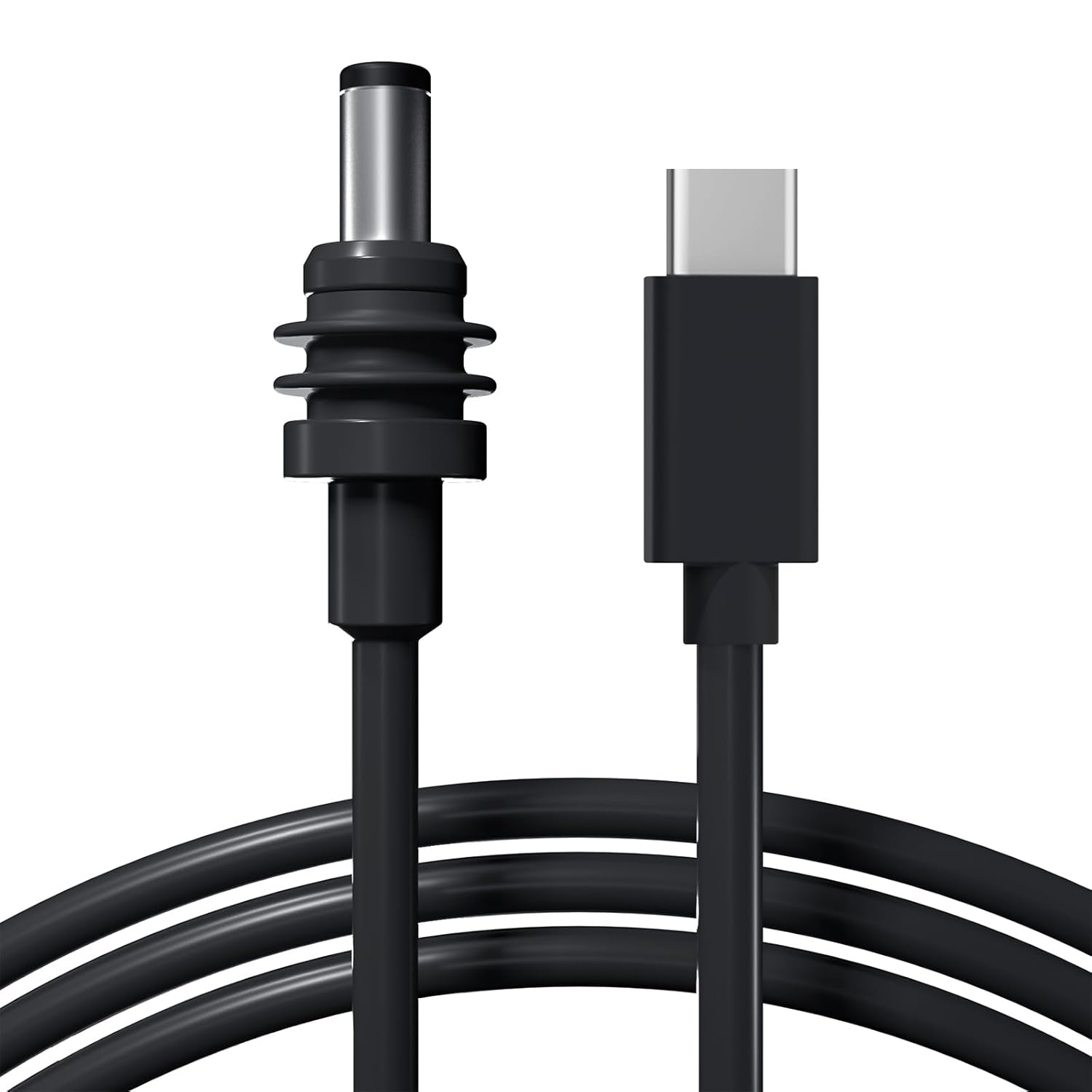
- Power Options Cables, Adapters & Converters
- Network Connections Ethernet Cables & Adapters
- Mounting Options Pole, Wall, Roof & Portable
- Protection & Storage Covers, Cases & Carry Bags
Starlink Power, Cable, Mount & Case Products
MINI-BAG11 Starlink Mini Army Digital Camouflage Briefcase with Shoulder Strap
The starlink mini army digital camouflage briefcase with shoulder strap is designed for a custom fit, ensuring durable construction for long-lasting protection and organization.
Starlink Gen 3 Travel Case Handbag with 4PCS Starlink Gen 3 Dish Stand Pad
This lightweight and durable Starlink Gen 3 travel case (25"×16.4"×4") provides superior protection for your system with a hard shell exterior, ample storage, and convenient carrying options.
GEN3-BAG2 Starlink Gen 3 Travel Case EVA Protective Carrying Bag with Shoulder Strap
The Starlink Gen 3 travel case has a custom-molded interior for organized storage, a water-resistant exterior, and offers a carry handle and shoulder strap for easy transport.
GEN3-BAG3 Starlink Gen 3 Standard Case Portable Protective Carrying with Transparent Soft Pad
This Starlink Gen 3 standard case boasts a durable, waterproof construction and a custom-molded interior for secure and organized storage of your Starlink Gen 3 equipment.
GEN3-BAG4 Starlink Gen 3 Standard Hard Protective Travel Case with Organized Storage
This hard protective travel case is custom-designed for the Starlink Gen 3 Standard, featuring a high-impact shell and precision-molded interior foam.
Starlink Gen 2 Standard Actuated Camo Travel Backpack with Inner Hard Case
This durable and water-resistant camouflage Starlink Gen 2 travel backpack (14"×11.7"×23") features a hard inner case and ample storage.
Selection Guide
Compare Starlink Accessories for Your Installation
Accessories in this category support power connection, cable routing, equipment mounting and transport. Start with the exact dish and router version: accessories for Mini, Standard Gen 2, Standard Gen 3 and Performance equipment are not automatically interchangeable.
Device & Accessory Fit
Match the device version and the purpose of the accessory. For cables, identify both ends and whether the connection carries DC power or Ethernet. For mounts, check the dish adapter, pole or crossbar dimensions and whether the original pipe adapter is required. For cases, compare the internal layout with the dish and accessories being packed.
Connection & Installation
Power options include USB-C PD, vehicle-outlet, battery-connector and AC supply versions. Check polarity, connector dimensions and cable length. Mounting choices include pole, wall, roof-rack, tripod, magnetic and suction-cup constructions. Compare fastening points, surface suitability and the hardware included with the exact product.
Operating Conditions
For power products, compare input voltage, output voltage and current, and the available power at the required voltage. For mounts, consider the mounting surface and intended stationary or mobile installation. For covers and cases, check dimensions, access to connections and documented protection for the complete assembly.
Power Ratings That Match the Connection
The listed USB-C to DC power cable specifies a 20V PD source of at least 65W (3.25A), with a maximum cable output of 100W (20V/5A). A USB-C connector or total charger wattage alone does not establish compatibility; check the output profile of the port being used.
The Gen 3 router DC converter describes 10–36V input and 57V/4.5A output. This is a separate product specification, not a rating for Mini cables or every adapter in the category. Passive DC cables and active voltage converters perform different jobs.
Details for a Comparable Quotation
Use the same three items when comparing similar accessories: device fit, connection or mounting format, and operating conditions. Send a part number or photo, the required cable length or installation dimensions and quantity. For power accessories, add the source voltage and output profile; for mounts and cases, add the equipment version and the required fit.
Applications
Typical Starlink Accessory Applications
Match the equipment version and installation conditions to the accessory.
Vehicle & RV Installations
Compare vehicle-power adapters, cable routing and mounting hardware for the available supply and mounting surface. Check the intended operating conditions before choosing a vehicle mount.
Fixed & Portable Setups
Use wall or pole hardware for a fixed installation, or compare tripods and clamps for temporary deployment. Match Ethernet and power connections to the equipment version.
Transport & Equipment Kits
Match cases, bags and protective covers to the dish, power supply and cables. Check storage compartments and included parts when assembling a repeatable equipment kit.
Common Questions
Starlink Accessory FAQs
Answers about equipment fit, power connections, mounts and ordering.
For a Project Enquiry
Send the equipment version, accessory requirements and quantity.
Send Project DetailsNo. Match the exact dish and router version to the accessory specification. Mini, Standard Gen 2, Standard Gen 3 and Performance products can use different connectors, power requirements and mounting adapters. A generation number alone may not identify the equipment.
A passive DC cable provides a connection without establishing a new supply voltage. An active converter changes the input voltage to its specified output. Check input range, output voltage and current, connector polarity and the equipment requirement for the exact product.
Check the voltage and power profile available from the specific USB-C port. The listed standard USB-C to DC cable requires a 20V PD source of at least 65W and lists a maximum 100W output. Other products have their own specifications. Total charger wattage does not guarantee the required output at one port.
For mounts, compare device adapter fit, pole or crossbar size, fastening method and included hardware. Some versions require an original pipe adapter. For cases, compare the interior layout and external dimensions with the equipment and accessories. Confirm documented protection and installation conditions for the exact assembly; magnetic force alone does not define suitability for driving.
Send the accessory part number or reference photo, exact Starlink equipment version, required length or mounting dimensions, and quantity. Add the power-source voltage and output profile for power products, or the mounting surface and hardware requirements for installation products.
Discuss Your Starlink Accessory Requirements
Send the equipment version, accessory part number and quantity. Add cable length, power-source details or mounting dimensions so we can check the required fit.
Prefer email? sales1@chinadaier.com