
Manual Settings for PCB Assemblies
DIP Switches
DIP switches for PCB configuration and address settings. Compare position counts, through-hole and SMD mounting, and slide or piano-style actuation to match your board layout and enclosure access.
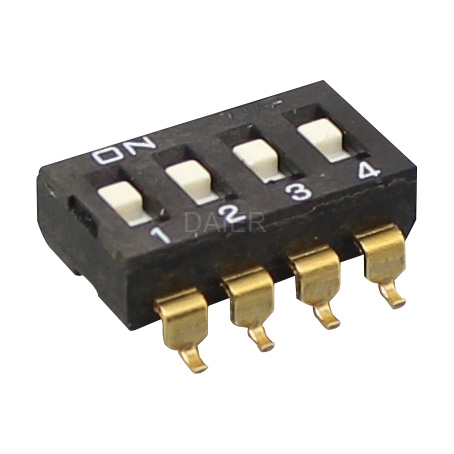
- Position Count 1–12 or 2–12 by Series
- PCB Mounting Through-Hole & SMD
- Actuator Style Slide & Piano Options
DIP Switch Models
DS-01
DS-01 dip switch feature a variety of extended actuator and flush actuator styles.
DI-R01
DI-R01 piano switch selection includes surface mount, through-hole, rotary, standard and half pitch, and multiple actuator designs.
DM-1.27-02
DM-1.27-02 dip switch calculator have 2 position
DP-02
DP-02 dip 8 switch are available in surface mount, through-hole, right angle and vertical mounting options.
DA-02
DA-02 switch dip are process sealed for automated assembly (some require tape seal) and are available in SMT and thru-hole termination.
DI-F01
DI-F01 piano type switch contact rating is 100mA 50VDC
DM-R01
DM-R01 dip smd has 1 position
DM-F01
DM-F01 smd dip switch include a low-profile, miniature versions, standard base seal, optional top-tape seal and also tape and reel packaging.
Selection Guide
Choosing a DIP Switch
Position Count
Choose the number of independent ON/OFF settings your circuit needs. The listed families cover 1–12 or 2–12 positions, depending on the series.
PCB Mounting & Footprint
Compare through-hole and surface-mount versions. Match the pin layout, body dimensions and mounting direction to your board drawing.
Actuator & Access
Compare top-operated slide and piano-style switches, with raised or flush actuator formats. Allow room to reach the settings after assembly.
Applications
Typical Switch Applications
Manual ON/OFF settings for electronic assemblies.
Device Address Settings
Set binary options on a PCB where the equipment design uses physical address selection.
Equipment Configuration
Select operating modes and hardware options during assembly or servicing.
Replacement Boards
Match the position count, footprint and actuator access of an existing assembly.
Common Questions
DIP Switch FAQs
Answers about position counts, PCB fit and ordering.
For a Project Enquiry
Send the series, position count, mounting format and quantity.
Send Project DetailsDS, DI-R, DI-F, DM-R and DM-F product pages list 1–12 positions. DM-1.27, DP and DA pages list 2–12. Specify the complete ordering code and required count.
Choose the mounting format that matches your PCB assembly. Compare the terminal layout and dimensions on the model drawing before selecting a footprint.
Slide actuators are operated from the top; piano-style actuators offer a different access direction. Raised and flush formats also affect how the switch can be reached inside the enclosure.
A product page may use a representative image from the series. Use the complete ordering code and dimensional drawing to identify the required position count and footprint.
Send the series or complete model code, position count, mounting format and quantity. Include your PCB drawing or reference photo when matching an existing part.
Discuss Your DIP Switch Requirements
Send the series or model code, required position count, mounting format and quantity. For a new board or replacement, include a PCB drawing or reference photo.
Prefer email? sales1@chinadaier.com