
Power, Installation & Transport Accessories
Starlink Power, Cable, Mount & Case Accessories
DAIER supplies power cables and adapters, Ethernet connections, mounting hardware and protective cases for Starlink equipment. The range covers Mini, Standard Gen 2, Standard Gen 3 and specific Performance versions. Compare the device fit, connection or mounting format, and installation conditions before selecting an accessory.
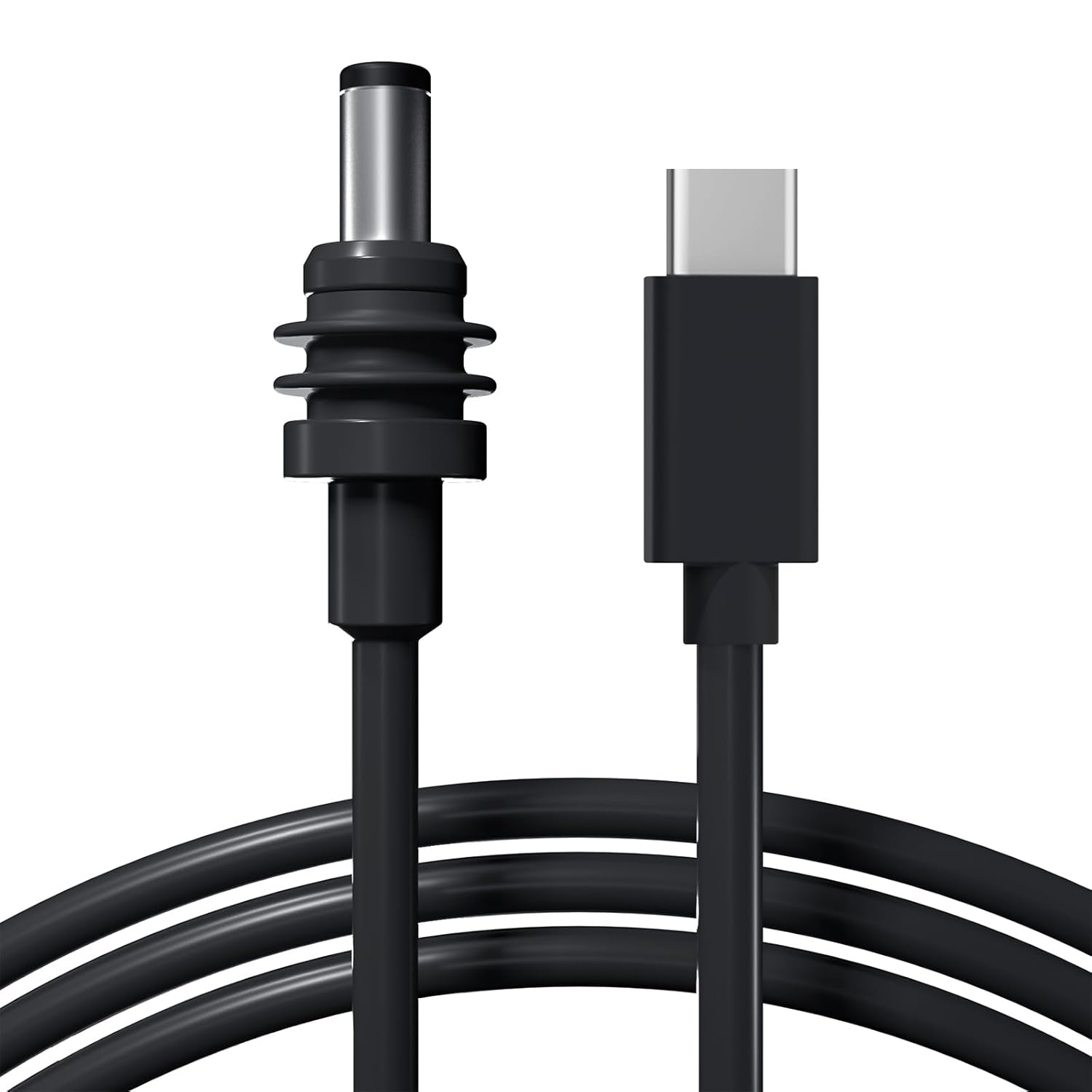
- Power Options Cables, Adapters & Converters
- Network Connections Ethernet Cables & Adapters
- Mounting Options Pole, Wall, Roof & Portable
- Protection & Storage Covers, Cases & Carry Bags
Starlink Power, Cable, Mount & Case Products
MINI-BR19-KIT Starlink Mini Magnetic Mount Base No-Drill Magnetic Solution for Official Adapters – 300 lbs Force
This Starlink Mini magnetic mount base enables rapid, non-permanent deployment on any metal surface, designed for seamless integration with the official Pipe Adapter and Flat Mount.
MINI-DM1 Starlink Mini Tripod Mount Adapter for 1/4″-20 Threaded Pattern Tripod
This Starlink Mini tripod mount adapter features a standard 1/4"-20 threaded insert, making it compatible with a wide variety of common tripods.
MINI-DM2 Starlink Mini Metal Pipe Adapter Pole Mount for Up to 1.54″ Poles
This Starlink Mini pipe adapter is crafted from durable metal and is designed to fit poles with a maximum diameter of 1.54".
MINI-DM7-BR Starlink Mini Magnetic Roof Mount with Anti-Theft Lock No-Drill for Vehicle Roofs & Marine Use
This Starlink Mini magnetic roof mount is made from T6061 aluminum and features 24 powerful neodymium magnets for an exceptionally secure, no-drill installation.
MINI-DM7-TP Starlink Mini Mobility Mount Aluminum Alloy Anti-Theft Kickstand Kit
This Starlink Mini mobility mount is made from durable aluminum alloy and includes anti-theft screws and an 8-degree tilt for optimal signal reception.
Starlink Gen 3 Pipe Adapter for 1.14″-1.9″ Poles | Secure Pole Mount Bracket with M8 Fastener & Wrench
This Starlink Gen 3 pipe adapter, potentially crafted from durable die-cast aluminum alloy, securely mounts your Gen 3 dish to poles ranging from 1.14 to 1.9 inches in diameter using an M8 screw and included hex…
Starlink Gen 3 Dish Pipe Adapter Aluminum Mount Standard Kit fits Poles 0.98″-1.88″
This Starlink Gen 3 dish pipe adapter aluminum mount standard kit provides a secure and stable platform for your Gen 3 dish, supporting up to 550 lbs and fitting poles 0.98-1.88 inches in diameter.
GEN3-DM1-WM1 Starlink Gen 3 Wall and Roof Mount Kit with Pipe Adapter and Pole
This rust-resistant stainless steel Starlink Gen 3 mount offers five adjustable angles, versatile wall and roof mounting options, and simple installation.
Gen3-DM1-PRM1 Starlink Gen 3 Roof Peak Ridge Mount Kit with Pipe Adapter and Pole
This drill-free roof peak ridge mount kit offers a secure and adjustable solution for Starlink Gen 3 installations, featuring a precision pipe adapter for easy attachment.
GEN3-DM1-PRM2 Starlink Gen 3 Adjustable Ridge Roof Mount Kit with Pipe Adapter and Pole
This Starlink Gen 3 ridge roof mount kit features an adjustable design, a precision V3 pipe adapter and a pole for optimal signal reception and secure dish installation.
Starlink Gen3 Pipe Adapter Pole Mount Kit Compatible within 1.37″ – 1.53″
This durable ABS pipe adapter provides secure mounting for Starlink Gen 3 dishes on poles with diameters between 1.37" and 1.53", ensuring optimal signal reception.
Starlink Gen 3 Roof Mount Kit with Pipe Adapter and Pole Mount Bracket
This Starlink Gen 3 roof mount kit features an adjustable design, a precision V3 pipe adapter and a pole for optimal signal reception and secure dish installation.
Gen3-DM3 Starlink Gen3 Pipe Adapter Kickstand for Pole Mounting Fits 1.49-1.96″ Poles
This Starlink Gen 3 pipe adapter provides secure pole mounting for 1.49-1.96" diameter poles, constructed from weather-resistant ASA material for enhanced durability.
Gen3-DM5 Starlink Gen 3 Pipe Adapter for 1.14″-1.9″ Poles | Secure Pole Mount Bracket with M8 Fastener & Wrench
The Starlink Gen 3 pipe adapter enables quick and secure mounting of your Gen 3 dish to existing poles (1.14"-1.9" diameter), complete with an M8 fastener and wrench for immediate, hassle-free installation.
Gen3-DM7-TP Starlink Gen 3 Mobility Mount Aluminum Alloy Anti-Theft Kickstand Kit
This Starlink Gen 3 mobility mount is made of aluminum alloy and features a specialized locking mechanism that secures the Starlink cable to the dish, preventing both theft and accidental disconnections.
Starlink Gen 2 Dish Portable Detachable Magnetic Base Ground Mount
This portable Starlink Gen 2 ground mount features a detachable, magnetic base for easy setup and secure placement on various terrains.
Gen3-R1 Starlink Gen 3 2-in-1 Space-Saving Router & Power Supply Wall Mount Kit
This space-saving wall mount kit securely integrates the Starlink Gen 3 router and power supply into a single, compact unit, featuring a durable ferroalloy construction with a rust-resistant white finish.
Gen3-R2 Starlink Gen3 Router and Power Supply Wall Mount Kit – No Drill Installation
This router and power supply wall mount kit securely houses the Starlink Gen 3 Router and Power Supply, optimizing signal stability and minimizing clutter.
Gen3-R3 Starlink Gen 3 Router Wall Mount with Standard Power Supply Mount
This space-saving wall mount kit securely houses the Starlink Gen 3 router and power supply in a single, compact unit made of durable ABS plastic.
Gen2-EA+M1 Starlink Standard Actuated Gen 2 Ethernet Adapter with Cable Caddy Holder Kit
The Starlink Gen 2 ethernet adapter with cable caddy allows for wired internet connections and cable management, featuring ABS construction, versatile mounting options, and support for up to 1000 Mbps speeds.
Selection Guide
Compare Starlink Accessories for Your Installation
Accessories in this category support power connection, cable routing, equipment mounting and transport. Start with the exact dish and router version: accessories for Mini, Standard Gen 2, Standard Gen 3 and Performance equipment are not automatically interchangeable.
Device & Accessory Fit
Match the device version and the purpose of the accessory. For cables, identify both ends and whether the connection carries DC power or Ethernet. For mounts, check the dish adapter, pole or crossbar dimensions and whether the original pipe adapter is required. For cases, compare the internal layout with the dish and accessories being packed.
Connection & Installation
Power options include USB-C PD, vehicle-outlet, battery-connector and AC supply versions. Check polarity, connector dimensions and cable length. Mounting choices include pole, wall, roof-rack, tripod, magnetic and suction-cup constructions. Compare fastening points, surface suitability and the hardware included with the exact product.
Operating Conditions
For power products, compare input voltage, output voltage and current, and the available power at the required voltage. For mounts, consider the mounting surface and intended stationary or mobile installation. For covers and cases, check dimensions, access to connections and documented protection for the complete assembly.
Power Ratings That Match the Connection
The listed USB-C to DC power cable specifies a 20V PD source of at least 65W (3.25A), with a maximum cable output of 100W (20V/5A). A USB-C connector or total charger wattage alone does not establish compatibility; check the output profile of the port being used.
The Gen 3 router DC converter describes 10–36V input and 57V/4.5A output. This is a separate product specification, not a rating for Mini cables or every adapter in the category. Passive DC cables and active voltage converters perform different jobs.
Details for a Comparable Quotation
Use the same three items when comparing similar accessories: device fit, connection or mounting format, and operating conditions. Send a part number or photo, the required cable length or installation dimensions and quantity. For power accessories, add the source voltage and output profile; for mounts and cases, add the equipment version and the required fit.
Applications
Typical Starlink Accessory Applications
Match the equipment version and installation conditions to the accessory.
Vehicle & RV Installations
Compare vehicle-power adapters, cable routing and mounting hardware for the available supply and mounting surface. Check the intended operating conditions before choosing a vehicle mount.
Fixed & Portable Setups
Use wall or pole hardware for a fixed installation, or compare tripods and clamps for temporary deployment. Match Ethernet and power connections to the equipment version.
Transport & Equipment Kits
Match cases, bags and protective covers to the dish, power supply and cables. Check storage compartments and included parts when assembling a repeatable equipment kit.
Common Questions
Starlink Accessory FAQs
Answers about equipment fit, power connections, mounts and ordering.
For a Project Enquiry
Send the equipment version, accessory requirements and quantity.
Send Project DetailsNo. Match the exact dish and router version to the accessory specification. Mini, Standard Gen 2, Standard Gen 3 and Performance products can use different connectors, power requirements and mounting adapters. A generation number alone may not identify the equipment.
A passive DC cable provides a connection without establishing a new supply voltage. An active converter changes the input voltage to its specified output. Check input range, output voltage and current, connector polarity and the equipment requirement for the exact product.
Check the voltage and power profile available from the specific USB-C port. The listed standard USB-C to DC cable requires a 20V PD source of at least 65W and lists a maximum 100W output. Other products have their own specifications. Total charger wattage does not guarantee the required output at one port.
For mounts, compare device adapter fit, pole or crossbar size, fastening method and included hardware. Some versions require an original pipe adapter. For cases, compare the interior layout and external dimensions with the equipment and accessories. Confirm documented protection and installation conditions for the exact assembly; magnetic force alone does not define suitability for driving.
Send the accessory part number or reference photo, exact Starlink equipment version, required length or mounting dimensions, and quantity. Add the power-source voltage and output profile for power products, or the mounting surface and hardware requirements for installation products.
Discuss Your Starlink Accessory Requirements
Send the equipment version, accessory part number and quantity. Add cable length, power-source details or mounting dimensions so we can check the required fit.
Prefer email? sales1@chinadaier.com