Meeting Consumer Demand: The Professional’s Guide to Installing High-Power USB-C Chargers & Voltmeters
- February 28, 2026
- 527
- DAIER Technical Team
How to Modernize Charging Options in Your Customers’ Vehicles, RVs, and Boats
Think about the devices your customers carry today compared to just five years ago. From massive smartphone batteries and tablets to drones and USB-C powered laptops used for remote work, consumer power needs have evolved drastically.
These modern, power-hungry devices demand massive amounts of energy. Yet, many vehicles, boats, and RVs rolling into shops—or even off assembly lines—are still equipped with outdated 12V sockets or weak 1A USB ports designed for a bygone era of tech.
Here is the harsh reality for consumers: Using a legacy charger while running GPS and streaming music doesn’t charge the battery—it just drains it slower.
To provide the premium experience your customers expect, upgrading to Power Delivery (PD) is no longer optional; it’s a necessity. Dedicated ports capable of outputting 30W, 45W, or even 65W are required to power laptops or fast-charge modern smartphones from 0% to 50% in just 30 minutes.
In this guide, we’ll break down the best practices for integrating high-power PD USB-C Chargers & Voltmeters into your builds. For custom shops, upfitters, and fleet managers, this is a high-margin, highly practical value-add that significantly modernizes the end-user experience.
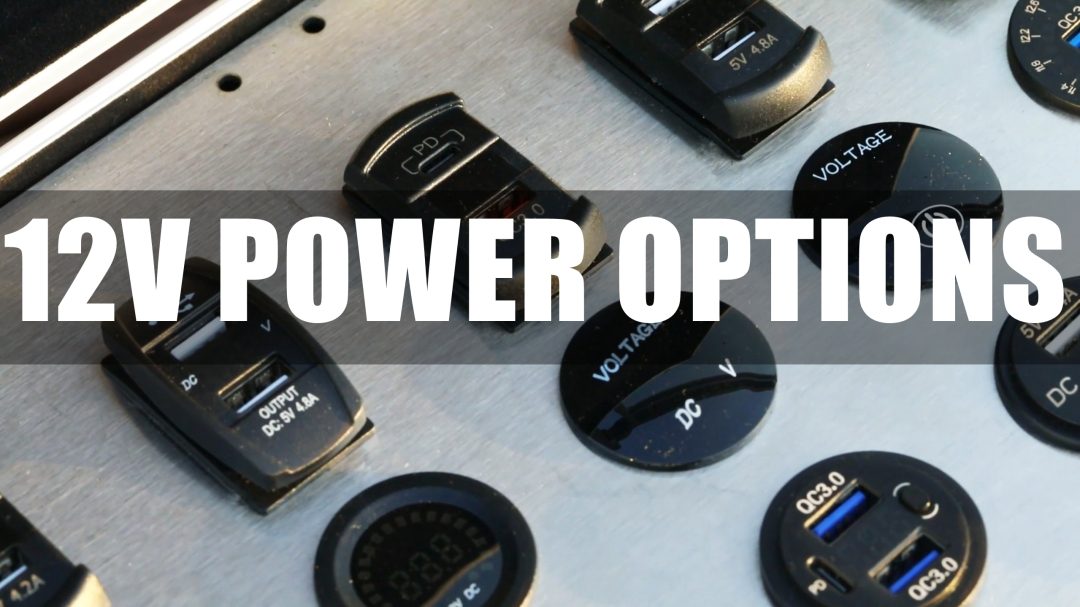
Why Stock or Install Modern USB-C Sockets?
Before diving into the installation process, let’s look at why high-output charging ports are becoming a staple in the 12V aftermarket:
-
Speed (PD & QC 3.0): Legacy chargers output a mere 1A or 2.1A. Modern PD USB-C sockets output 30W, 45W, or 65W. This allows your customers to charge devices rapidly or power a laptop directly from their dash or bulkhead.
-
Battery Health Monitoring (Value-Add): A dead battery results in a terrible customer experience. Many of our premium sockets feature a built-in LED Voltage Display, providing the end-user with real-time alternator (13.5V-14.5V) and battery health (below 12.0V) diagnostics.
-
Aesthetic & OEM-Quality Upgrades: Replace cheap plastic plugs with sleek, waterproof units featuring ambient lighting (blue, red, or green) that matches your custom interior or dashboard design.
Before You Begin: Standard Installation Requirements
For experienced technicians, preparation is second nature. Here is the standard toolkit required for a clean, efficient integration:
🔧 Required Tools:
-
Drill with a Hole Saw (for new custom placements)
-
Panel Removal Tools
-
Wire Strippers & Crimpers
-
Multimeter
🔌 Required Materials:
-
The selected USB Charger & Voltmeter Socket
-
Appropriate gauge marine/automotive wire
-
Fuse Tap Kit or distribution block (Critical for safe, professional installs)
⚠️ SAFETY FIRST: BEST PRACTICES
Standard shop protocol applies: Always disconnect the negative terminal of the vehicle or vessel’s battery before beginning electrical work to prevent shorts and protect onboard computers.
Step 1: Selecting the Right Form Factor for the Build
Different applications require different mounting solutions. We offer several form factors to suit any custom build:
-
The “Cigarette Lighter” Replacement: Ideal for automotive upgrades. Our Round Body Chargers act as a direct drop-in replacement for unused 12V outlets, fitting standard 1.15-inch (29mm) holes seamlessly.
-
The “Rocker Switch” Style: Perfect for marine dashboards, UTVs, and off-road builds. These USB chargers snap directly into standard rocker switch cutouts (like the DS2013-L) alongside existing light and accessory switches. No drilling required.
-
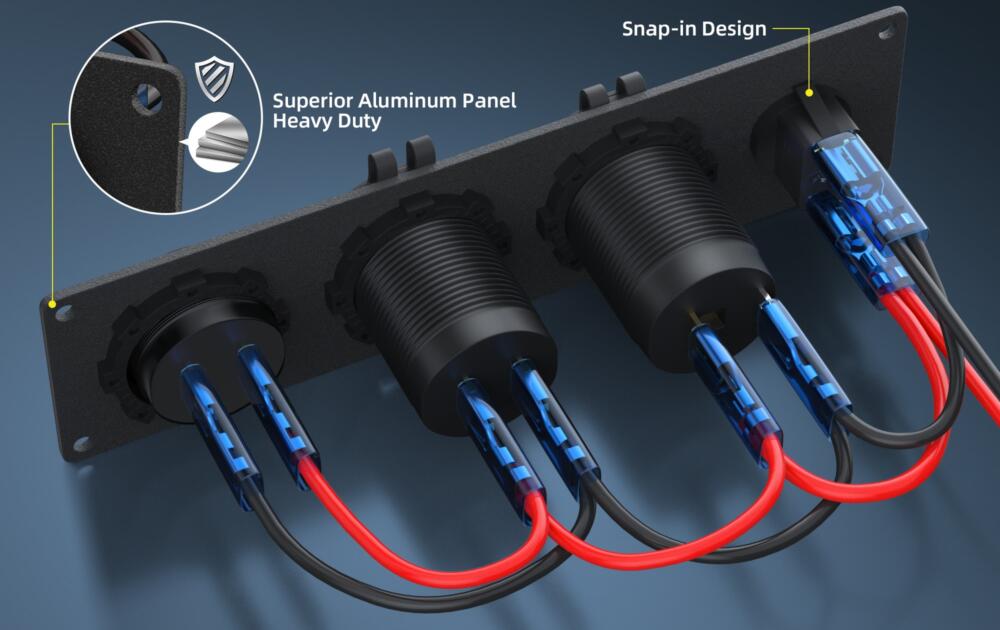
The “Surface Mount” Panel: Ideal for RV interiors or rear-seat automotive additions. Use Tent-Style Surface Mount pods to add power anywhere with just two small screws.
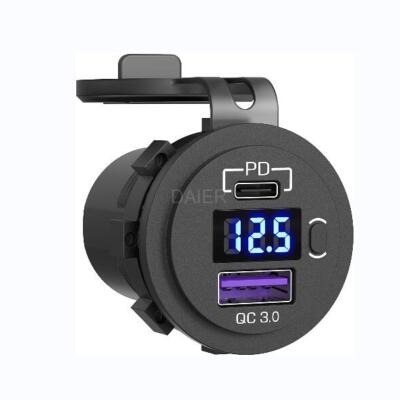
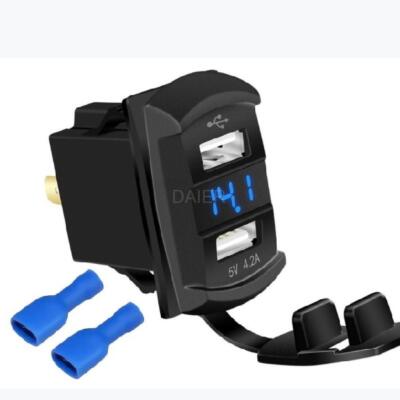
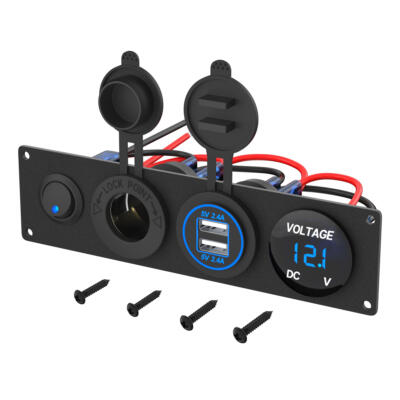
Caption: Round, Rocker, or Panel? Choose the style that best integrates into your specific vehicle or marine application.
Step 2: Professional Wiring Integration
While consumers might resort to splicing into existing, weak circuits, professional builds require robust wiring to handle high-power PD charging safely.
The Recommended Professional Method (Dedicated Circuit)
To avoid vehicle comebacks and blown fuses, a dedicated circuit is the industry standard.
-
Connect Positive (+): Run a new wire from an accessory fuse block or use a fuse tap adapter at the vehicle’s fuse box. Connect this to the Red wire of the USB socket. Using an “ignition-switched” source is standard for most automotive installs to prevent parasitic draw.
-
Connect Ground (-): Connect the Black wire to a clean, paint-free chassis ground or a dedicated ground bus bar (common in marine/RV applications). A solid ground is critical for achieving maximum PD output.
-
The Physical Switch Advantage: For RV, marine, and overland upfitters, models featuring a physical ON/OFF button (like the DS2013-PDC-S) are game-changers. This allows technicians to wire the unit directly to a constant battery source (house batteries) without worrying about the LED display causing a parasitic drain during long-term storage.
Caption: Utilizing a dedicated fused circuit ensures the charger receives clean, full power without overloading the OEM wiring harness.
Step 3: Quality Assurance (The “Bench Test”)
Before finalizing the panel installation, technicians should perform a quick QA check:
-
Turn the ignition or power on.
-
Verify Voltage: Does the LED display illuminate? A reading between 12.0V and 14.5V indicates a solid circuit.
-
Verify PD Output: Plug in a PD-compatible test device. Ensure it triggers the “Fast Charging” or “PD Charging” protocol on the device.
Common Tech Questions & Customer FAQs
Here are a few quick answers to common questions your techs might encounter, or that end-users might ask your sales team.
Q1: The newly installed socket has no power and the LED is off. What is the most common cause?
A: In standard installations, this is usually an inline fuse or ground issue. Many of our wiring harnesses include an inline fuse for safety. Have techs unscrew the holder to visually inspect the fuse. If intact, verify the chassis ground connection with a multimeter.
Q2: A customer noted the voltmeter shows a reading of 12.2V and is worried their battery is dying. How should we advise?
A: Advise the customer that when the engine is off, a healthy 12V battery will rest between 12.0V and 12.6V. Once the engine is running, the reading should jump to 13.5V–14.5V, indicating the alternator is functioning properly. This integrated feature acts as a great preventative diagnostic tool for the customer.
Q3: Can units with a physical ON/OFF button be wired directly to constant power?
A: Yes. This is a major selling point for off-grid builds. The built-in switch allows the unit to be wired to a constant power source (like an RV or boat house battery). Customers can charge devices when the engine is off, and simply turn the socket off manually to prevent the LED display from slowly draining the battery.
Conclusion: A High-Margin, High-Impact Value Add
You don’t need a massive system overhaul to give your customers a modern tech experience. Offering high-speed USB-C PD charging upgrades is a highly profitable service that takes minimal labor time but yields immense customer satisfaction.
Whether your business specializes in overland upfitting, marine audio, RV manufacturing, or general 12V automotive accessorizing, we have the exact OEM-quality sockets to fit your supply needs.
Ready to upgrade your shop’s offerings?
Browse our full B2B catalog of PD & QC3.0 USB Chargers and Voltmeters here.
Contact our sales team today for bulk pricing and partnership opportunities.
